Document example
Prepare documents in your company's format.
Explore a prepared document in a company template—the kind of reformatting your team may repeat for each new file.
Explore this exampleLoading sample preview…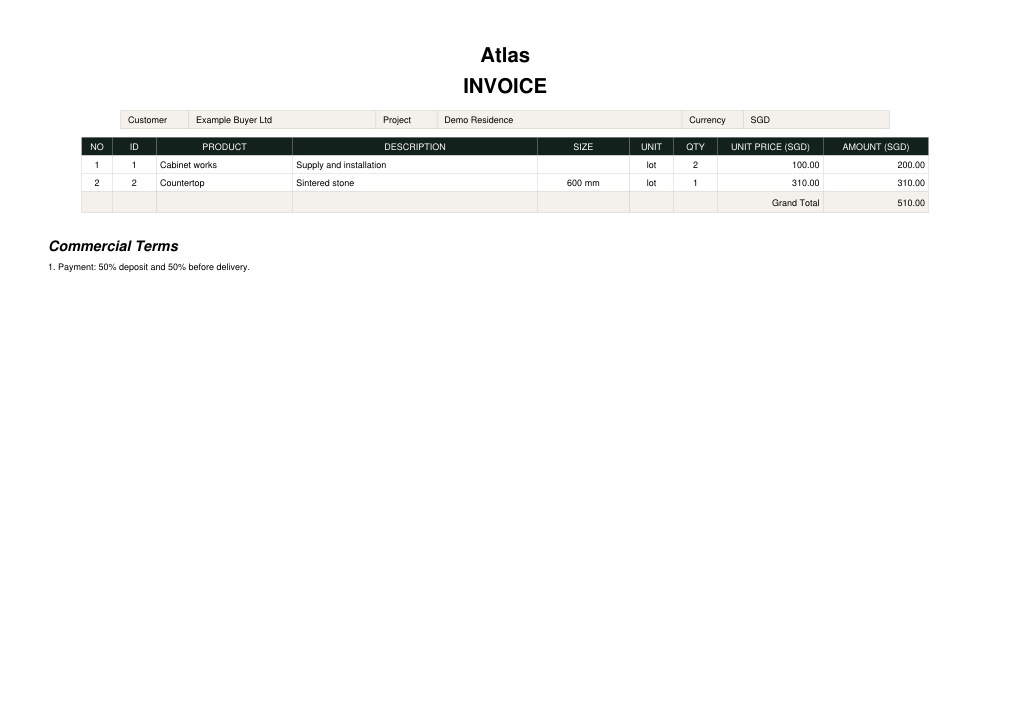
YOUR COMPANY'S DESKTOP AI ASSISTANT
We configure zenfai around your company's files, templates and rules—so your team can run repeatable tasks and review the results in one desktop workspace.
Still copying the same information into documents and spreadsheets?
Your files. Your templates. Your final say.

Actual Web sample workspace using prepared files. Not a desktop app capture or live processing.
Desktop delivery and supported tasks are confirmed during scoping.
EXPLORE A SAMPLE TASK
These examples show how a task works in zenfai. Each company's workflow is scoped and tested around its own materials and requirements.
Door & window example
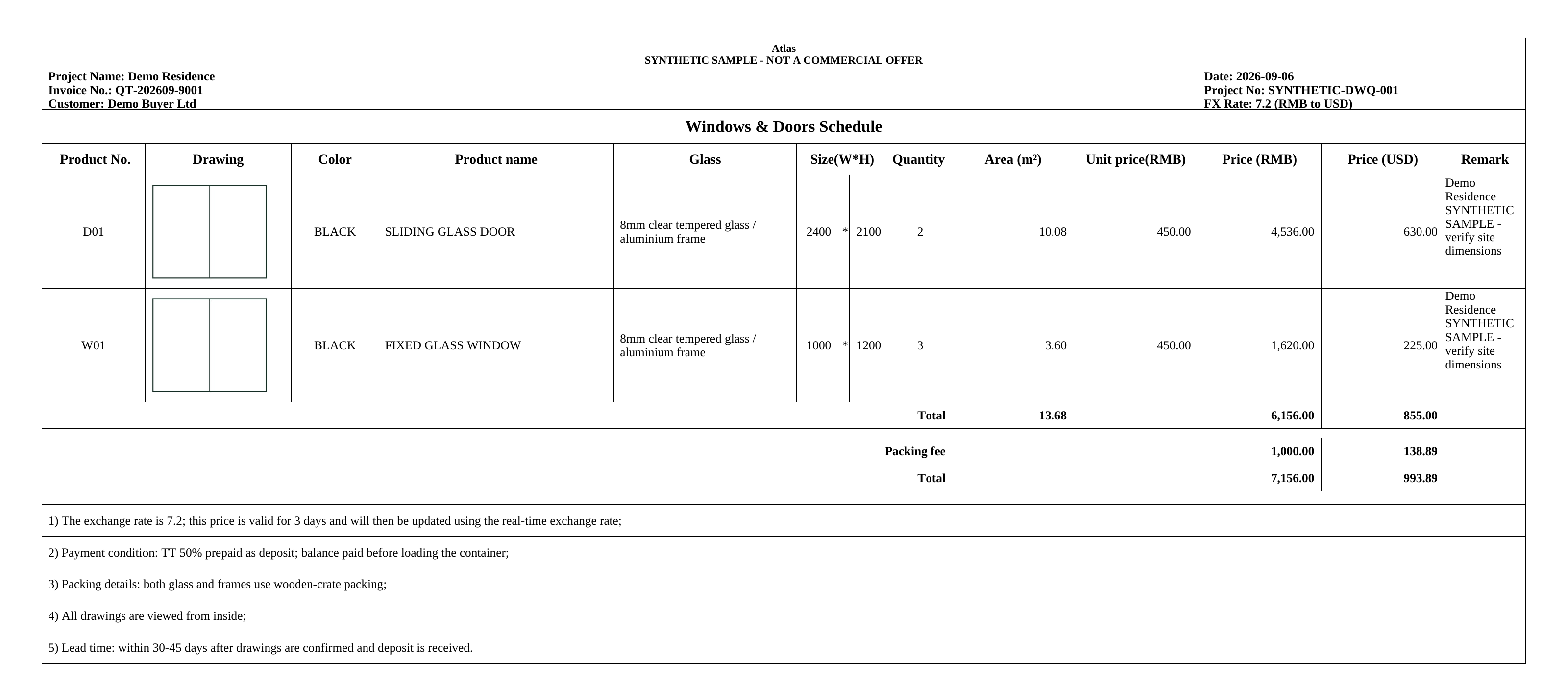
Checking labels, collecting dimensions and entering quantities can mean repeating the same work. This prepared example shows those details organized into a schedule for review.
Sample demonstration using prepared files. This is not a live run, and no customer files are uploaded here.
Start with the source material.
Prepared sample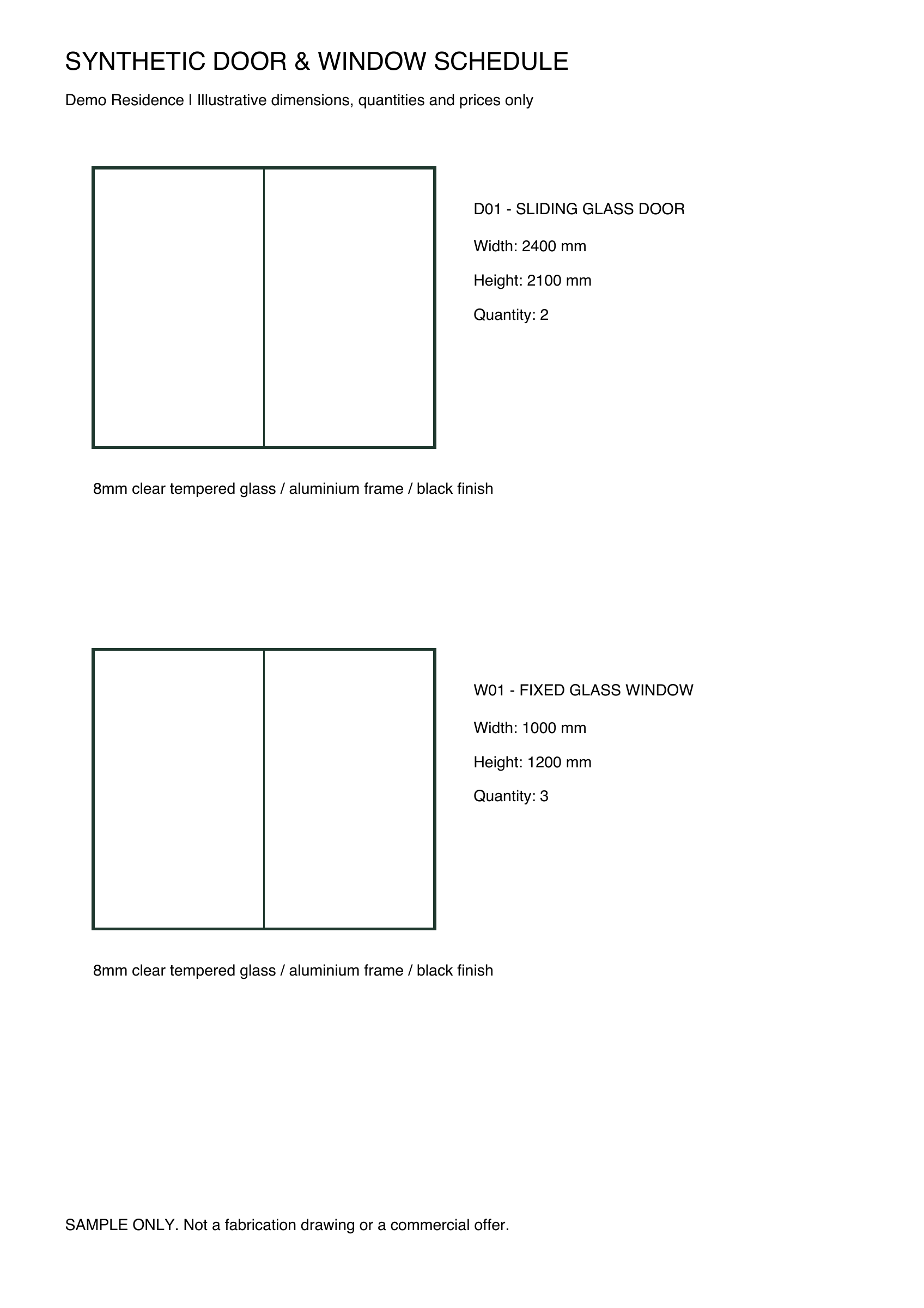

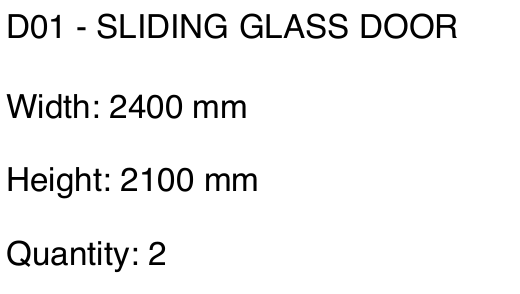
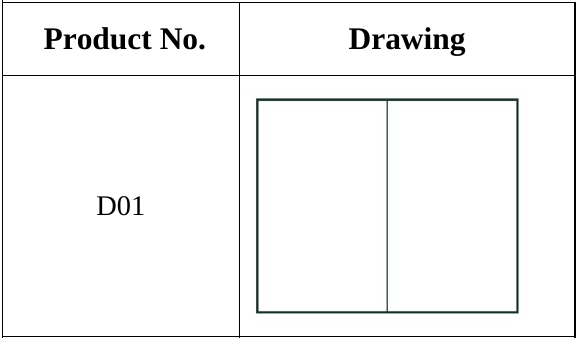
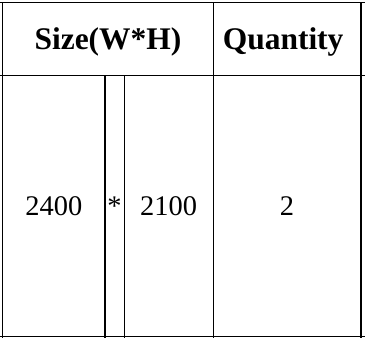
Two unchanged excerpts from row D01.
Your documents may be different. Tell us what your team repeats, and we'll discuss the materials, the result you need, and what a pilot should prove.
Discuss your taskStart with a description. No private files needed.
Document example
Explore a prepared document in a company template—the kind of reformatting your team may repeat for each new file.
Explore this exampleTHE EXAMPLE LIBRARY
Open the source files and prepared results behind the demos.
View all examplesBUILT AROUND YOUR COMPANY
We configure each task around the materials your team already uses, then test it with agreed examples.
Start with an approved template and the output your team expects.
Agree what must be included and what needs a person's decision.
Reuse the configured task when the next supported file arrives.
Here, the Product column keeps its heading and line order. Open the sample to inspect the rest of the format.
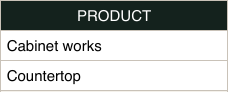
Unchanged excerpt from the prepared Atlas document. Synthetic sample, not your company's live data.
Open sample documentReview the result before it is used or shared. Missing information and decisions that need your input are part of the workflow we agree with you. An optional Gmail connector is in invited testing: choose an inquiry, prepare a reply or quotation draft, and review the result before saving a reply to Gmail Drafts.
FROM YOUR DEPARTMENT
Choose a department, then identify one repetitive task worth making easier.
Explore repetitive preparation work around customer information and follow-up. We'll define the scope with you.
Discuss a Sales taskDiscuss repetitive handover and status-preparation work. We'll first agree the inputs and the result you need.
Discuss an Operations taskCONFIGURATION & DELIVERY
We start with one agreed task, configure it around your materials, and test the results with your team before ongoing use.
Share how the work is done today, the materials involved and what a useful result looks like.
We agree the template, rules, supported inputs and review steps, then test with representative files.
Once the agreed checks are complete, we prepare the workspace, instructions and support arrangements for continued use.
Your desktop workspace, configured tasks, agreed templates and rules, and a defined support plan.
Scope, availability, timing and support are agreed for each pilot.
Tell us about one repetitive task. We'll explore the files, rules and result it needs before defining a pilot.
Discuss your taskStart with a description. No private files needed.